
Call: 07971191699
 Send Inquiry
 Send Inquiry
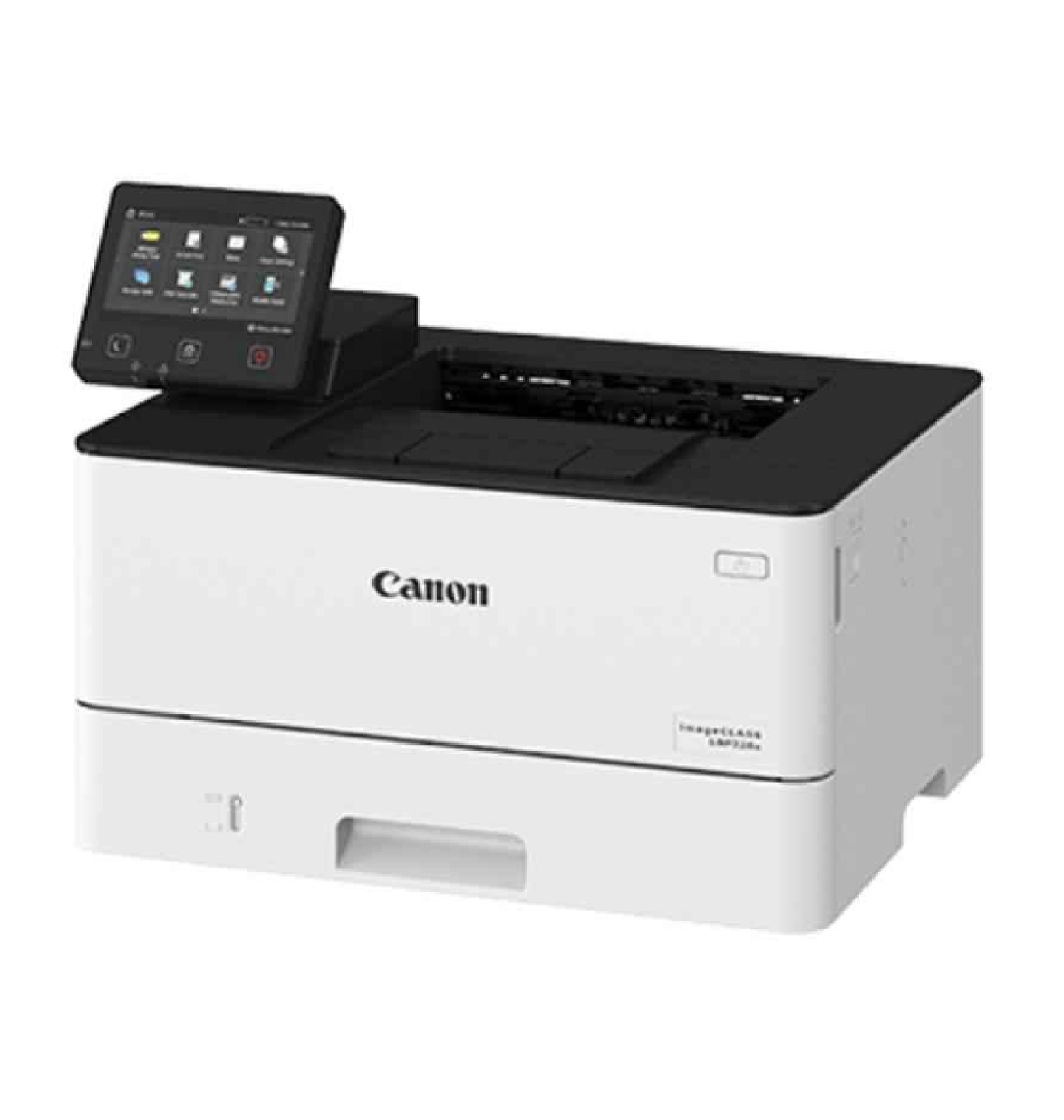
Canon LBP 228X Image Class Monochrome Laser Beam Printer
Price 50000 INR/ Piece
MOQ : 1 Unit
Canon LBP 228X Image Class Monochrome Laser Beam Printer Specification
- Type
- Monochrome Laser Printer
- Condition
- New
- Print Speed
- Up to 38 ppm (A4)
- Warm-up Time
- Approx. 14 seconds or less
- First Copy Time
- Approx. 5.5 seconds
- Size
- 401 mm x 373 mm x 250 mm (W x D x H)
- Weight
- Approx. 9.9 kg
- Printing Process
- Laser Beam Printing
- Grayscale
- Monochrome
- Power Source
- AC 220-240V, 50/60Hz
- Paper Size
- A4, A5, B5, Legal, Letter, Executive, Statement, Index Card, Envelope (C5/COM10/Monarch/DL), Custom Sizes
- Paper Weight
- 60 to 200 g/m
- Interface
- USB 2.0 High-Speed, Ethernet 1000Base-T/100Base-TX/10Base-T, Wireless LAN (IEEE802.11b/g/n)
- Output Tray Capacity
- 65 sheets
- Input Tray Capacity
- 250 sheets (Standard), 100 sheets (Multipurpose Tray)
- Display
- 5-line LCD
- Duplex Printing
- Automatic
- Compatibility
- UFR II, PCL6, Adobe PostScript 3
- Monthly Duty Cycle
- Up to 80,000 pages
- Processor Speed
- 525 MHz
- Noise Level
- Approx. 54 dB or less
- Maximum Print Resolution
- Up to 1200 x 1200 dpi
- Memory
- 1 GB
- Toner Cartridge Model
- Canon 057/057H
- Mobile Printing Support
- Canon PRINT Business, Apple AirPrint, Mopria Print Service, Google Cloud Print
- Supported Operating Systems
- Windows, Mac OS, Linux
About Canon LBP 228X Image Class Monochrome Laser Beam Printer
Canon LBP 228X Image Class Monochrome Laser Beam Printer, 3516C009AA
The Canon LBP 228X Image Class Monochrome Laser Beam Printer is a fast and efficient printer that is suitable for a small office or home office. This printer can handle large printing jobs quickly and easily, and it produces high-quality prints with sharp text and clear images. The Canon LBP 228X Laser Printer is a fast, reliable printer that is suitable for small businesses or home offices. With a print speed of up to 26 pages per minute and a print resolution of up to 2400 x 600 dpi, the LBP 228X can handle all of your printing needs quickly...
High Performance and Speed
Designed for demanding business environments, the Canon LBP 228X achieves print speeds of up to 38 pages per minute on A4 paper. Its 1 GB memory and 525 MHz processor ensure reliable performance, even with large and complex print jobs, boosting productivity in busy offices.
Flexible Connectivity and Mobile Printing
This printer offers multiple connectivity options, including USB 2.0, Ethernet, and Wireless LAN (IEEE802.11b/g/n). It supports a wide range of mobile printing solutions such as Canon PRINT Business, Apple AirPrint, Mopria Print Service, and Google Cloud Print, making it easy to print directly from smartphones and tablets.
User Convenience and Versatile Media Handling
A 5-line LCD display simplifies operation, while a 250-sheet input tray and 100-sheet multipurpose tray provide flexibility for different paper types and sizes. Automatic duplex printing and compatibility with various paper weights and sizes-including envelopes and custom media-add tremendous convenience to your workflow.
FAQ's of Canon LBP 228X Image Class Monochrome Laser Beam Printer:
Q: How does the Canon LBP 228X support wireless and mobile printing?
A: The Canon LBP 228X features integrated Wireless LAN (IEEE802.11b/g/n), allowing for wireless connectivity within your office. It also supports mobile printing through apps such as Canon PRINT Business, Apple AirPrint, Mopria Print Service, and Google Cloud Print, enabling users to print directly from smartphones and tablets without a wired connection.Q: What types and sizes of paper can I use with this printer?
A: You can use a diverse range of media, including A4, A5, B5, Legal, Letter, Executive, Statement, Index Card, and envelopes (C5, COM10, Monarch, DL), as well as custom sizes. Supported paper weights range from 60 to 200 g/m2, making the printer adaptable to most office requirements.Q: What is the monthly duty cycle and what does it mean for my business?
A: The Canon LBP 228X has a monthly duty cycle of up to 80,000 pages, indicating its suitability for environments with high print volumes. This means the printer can reliably handle intensive workloads, making it ideal for businesses and service providers requiring consistent, large-scale printing.Q: Where can I use the Canon LBP 228X and which operating systems does it support?
A: This model is suitable for use in offices, educational institutions, and service centers. It supports Windows, Mac OS, and Linux operating systems, ensuring compatibility with most professional and personal computing setups in India and worldwide.Q: How long does it take for the printer to warm up and deliver the first page?
A: The printer warms up in approximately 14 seconds or less, and can deliver its first print in about 5.5 seconds, minimizing wait times and supporting a fast-paced office environment.Q: What are the benefits of the automatic duplex printing feature?
A: Automatic duplex printing enables the Canon LBP 228X to print on both sides of the paper without manual intervention. This saves paper, reduces costs, and supports environmentally conscious business practices.Q: Which toner cartridges are compatible with the Canon LBP 228X and how do I replace them?
A: This printer uses Canon 057 and 057H toner cartridges. Replacing the cartridge is straightforward: simply open the front cover, remove the used toner, and install the new one as directed in the user manual.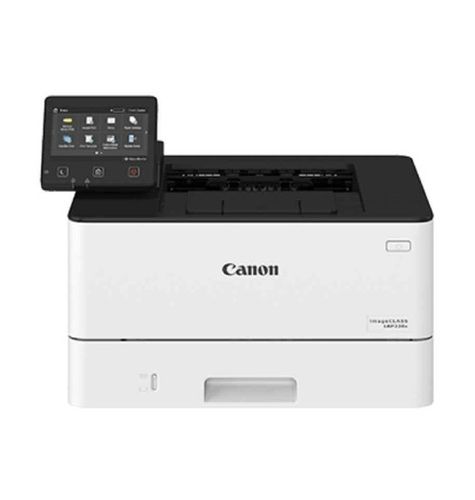

Tell us about your requirement

Price:
Quantity
Select Unit
- 50
- 100
- 200
- 250
- 500
- 1000+
Additional detail
Mobile number
Email

More Products in CANON LASER PRINTER Category
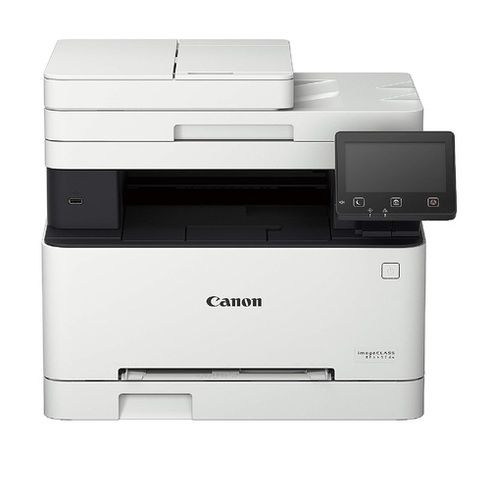
Canon imageCLASS MF643CDW Multi Function Laser Colour Printer
Price 65000 INR / Unit
Minimum Order Quantity : 1 Piece
Print Speed : Maximum Print Speed (Colour) 21 ppm Max Print speed Monochrome 21 ppm PPM
Weight : 20 kg 500 g Grams (g)
Condition : New

Contact Details
HD INFOSYS & AUTOMATION
GST : 24ATMPR4329N1Z2
- Darshnam Trade Center-1, 24-Second Floor, Near Hotel Surya Palace, Sayajigunj,Vadodara - 390007, Gujarat, India
- Phone :07971191699
 Send Inquiry
Developed and Managed by Infocom Network Private Limited.
